Book My Appointments for Agencies lets you create, configure, and manage client booking pages in minutes. You set it up, they take it from there.
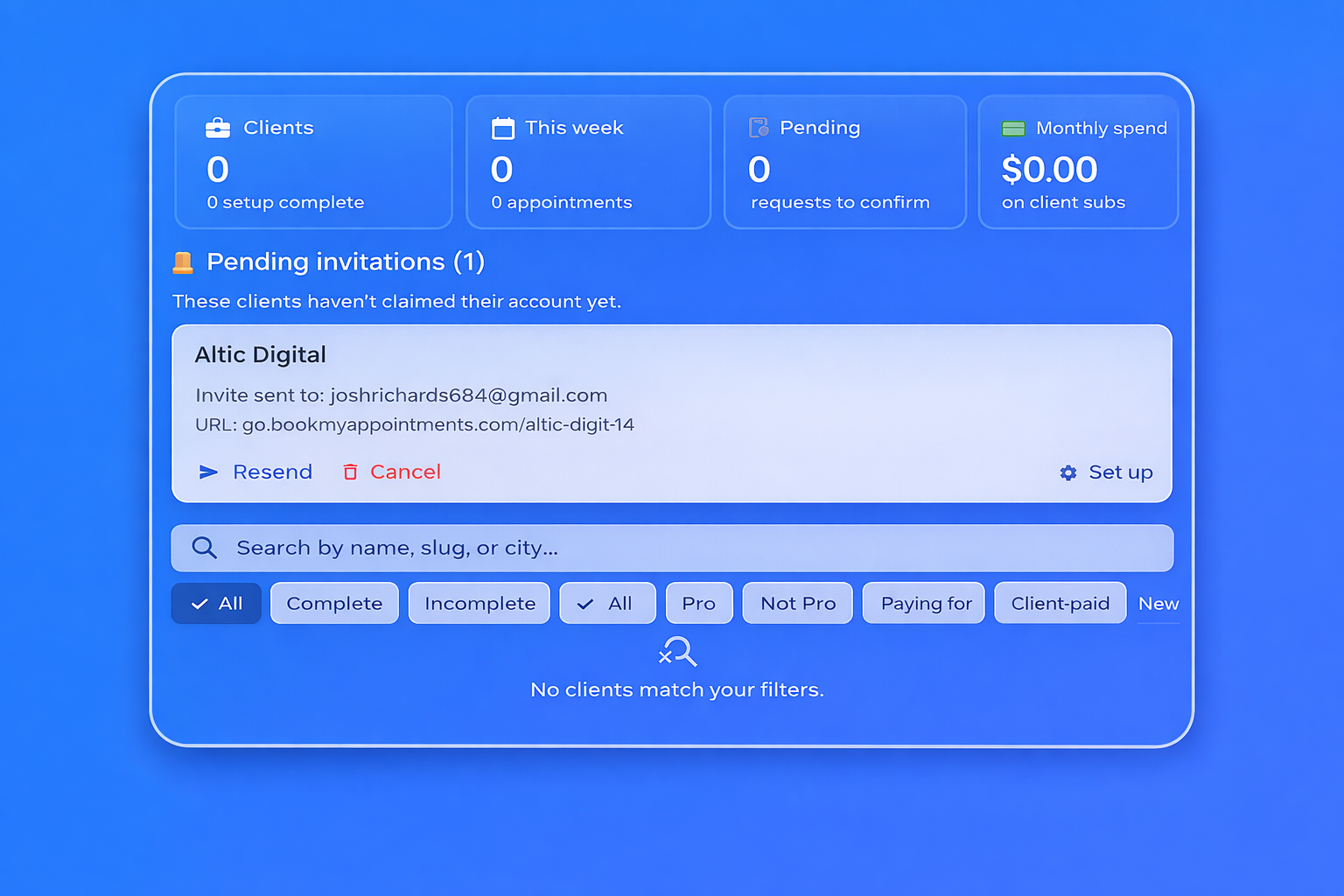
One dashboard, unlimited clients — see appointments, pending requests, and setup status across every client you manage.
White-glove onboarding — create the account, configure services, add staff, embed it on their site. Client just logs in when they’re ready.
You pick who pays — charge your agency card or hand the subscription over to the client. Clients keep full control either way.
Enter the business name and owner’s email. We generate the booking URL and send them an invite they can claim whenever they want.
Add services, staff, availability, Google Tag Manager, and embed code — all from your agency dashboard. No need to coordinate logins.
When your client claims the account, they get full owner access. You keep your dashboard access until they revoke it. Nothing breaks, nothing disappears.
See every client’s status at a glance: appointments this week, pending requests, setup completion, subscription status. Filter by setup state, Pro status, or payer.
Accounts you’ve created but clients haven’t claimed yet stay in a dedicated “Pending” section with resend and cancel actions. No more lost handoffs.
Subscribe on behalf of a client for $1.99/month, or let them pay themselves. Either way, the client owner can take over the subscription anytime. Cancel from your dashboard whenever.
Setup, services, staff, Google Tag Manager, embed code, stats. Everything the client needs, built to be set up by you.
Agency accounts are free. Each client gets a 7-day free trial of Pro ($1.99/month). You decide whether your agency covers it or the client does — either can take over or cancel anytime.
Once you’ve configured the account, you can simply send the invitation email from your dashboard. Your client clicks a link to create their own owner login. All your work is already there.
Yes. Either you can remove the client from your agency dashboard, or the client can revoke agency access from their account settings. The booking page remains active under the client’s control.
If your agency is paying, you can cancel the subscription anytime. If the client is paying, they manage the subscription through their own billing portal.
Currently, a client account can be linked to one agency at a time for management purposes, but they can always add additional staff members or collaborators manually.
While the booking URLs can be embedded directly into your client’s website to appear native, the platform branding remains as PartnerConnect within the administration dashboards.
Agency accounts are free. Takes under a minute.